 Flow Notes
Files first
One Markdown file per note, one folder per sidebar folder, no hidden format. Edit them over SSH; the tree and the index catch up within two seconds.
Self-hosted · Docker · MIT
Flow Notes is a note server you run yourself. Every note is a plain
Markdown file under data/notes/<account>/, the folders
on disk are the sidebar, and SQLite holds only the accounts and a search
index that is rebuilt from those files. The browser client fetches nothing
from the network — no CDN, no web fonts, no remote icons.
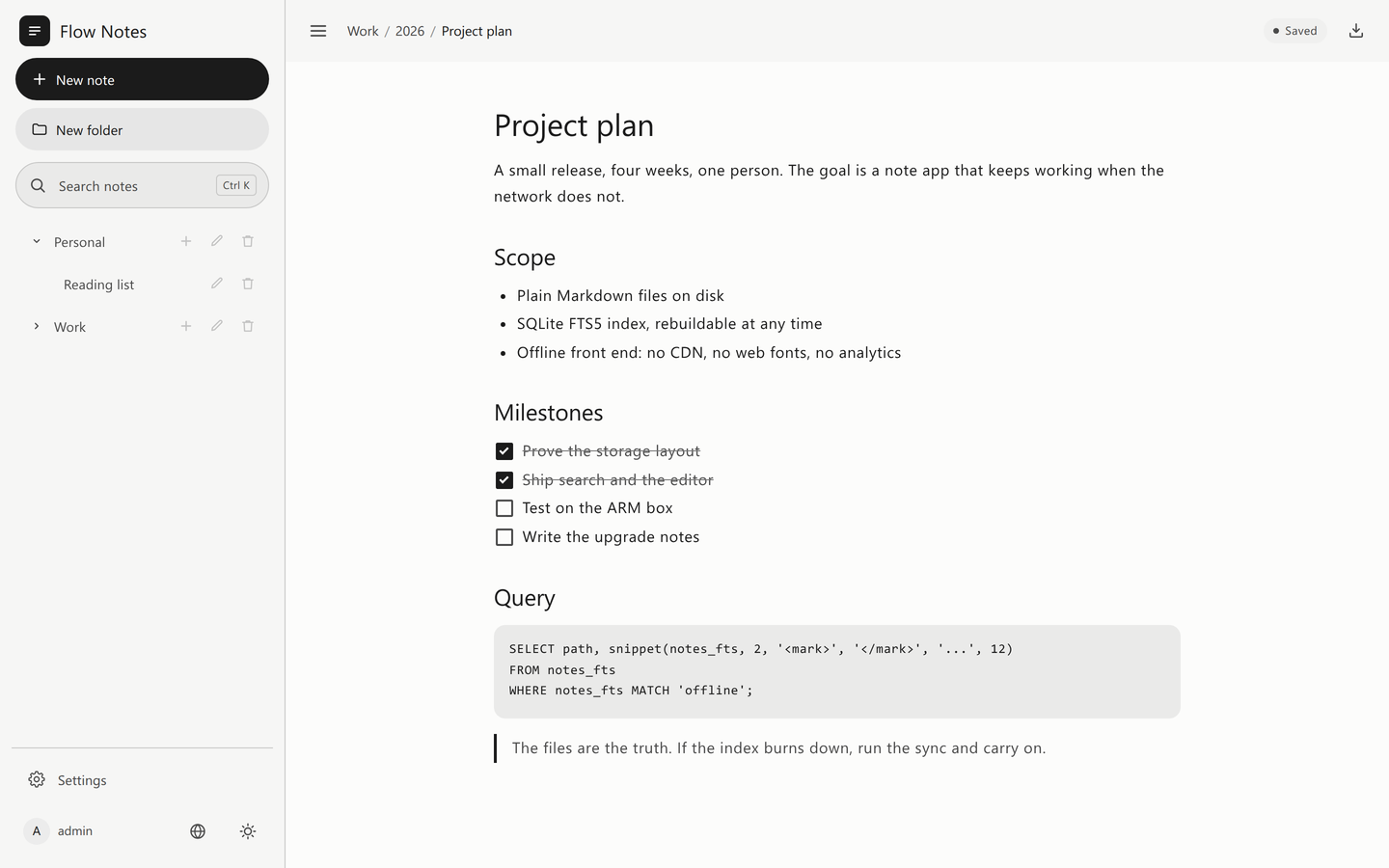
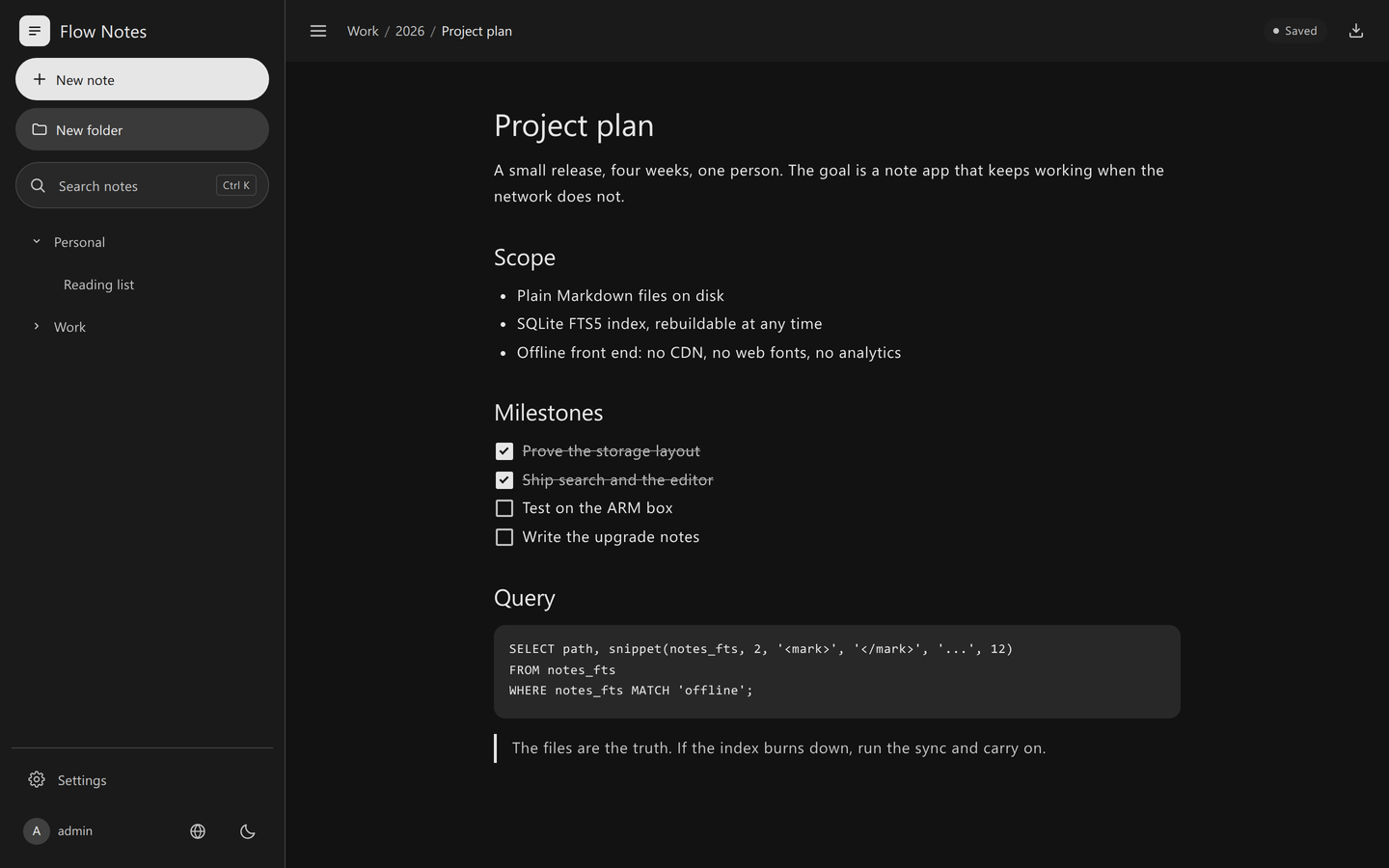
Storage, search, editing and accounts — and what each of them refuses to do.
One Markdown file per note, one folder per sidebar folder, no hidden format. Edit them over SSH; the tree and the index catch up within two seconds.
SQLite FTS5 with snippet() excerpts and highlighted hits, plus a substring fallback so Chinese, Japanese and Korean words still match. Delete the index and resync.
Tiptap with a Markdown round trip. / opens 17 commands; # , - , 1. , > , --- and a fence convert as you type; pasted screenshots are uploaded and inserted.
Each account owns notes/<name>/ and uploads/<name>/, and the index is filtered by owner. Administrators add, disable and delete accounts; deleting moves the files to data/trash/.
Everything the browser needs comes from your server: the editor bundle is built locally with esbuild, every icon is an inline SVG, and the Content-Security-Policy only allows this origin. A browser that can reach your LAN but not the internet still gets the whole interface.
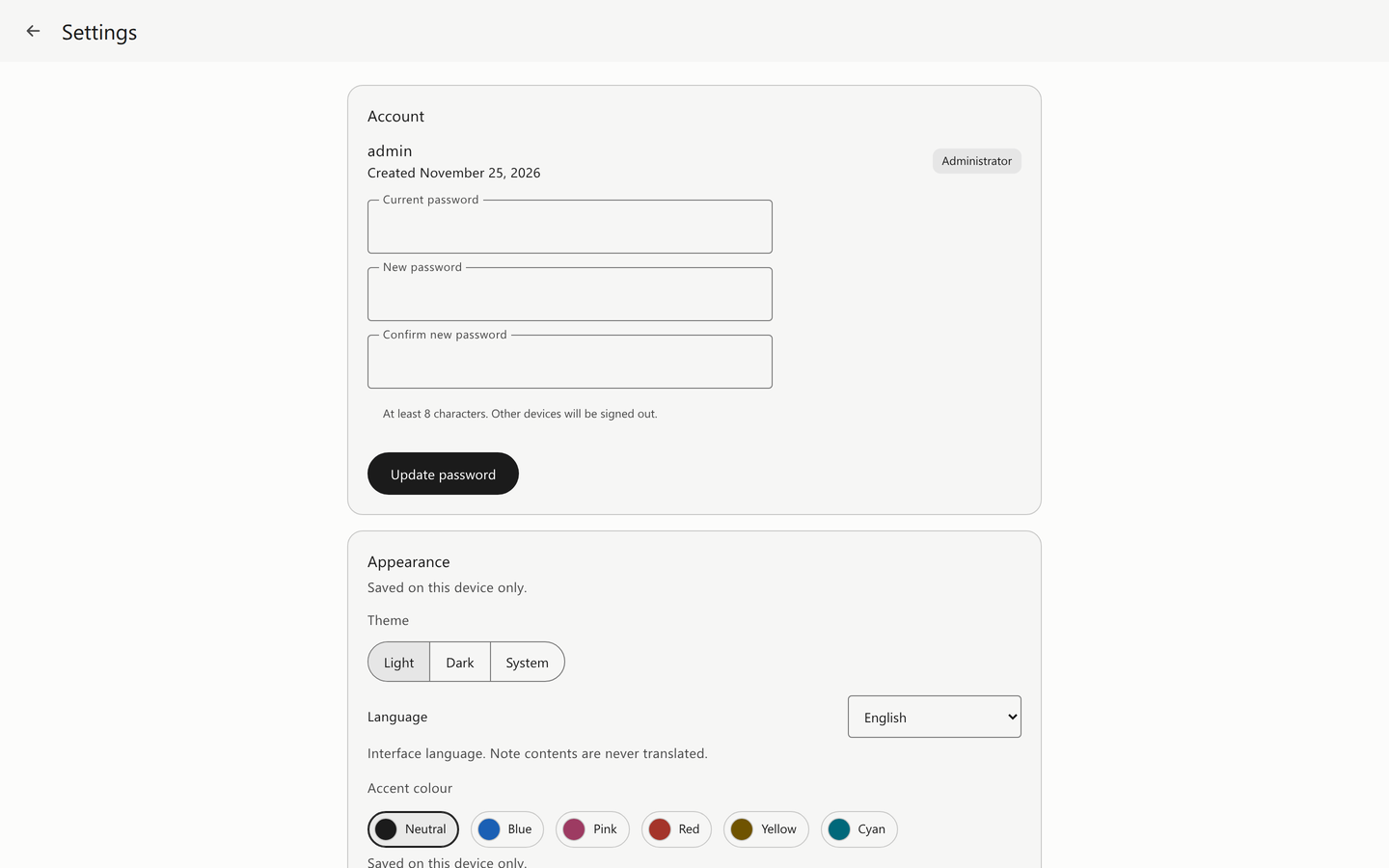
English, Arabic, Spanish, French, Russian and both Chinese scripts, with a full right-to-left layout for Arabic. Light, dark or follow the system, and six accent tones.
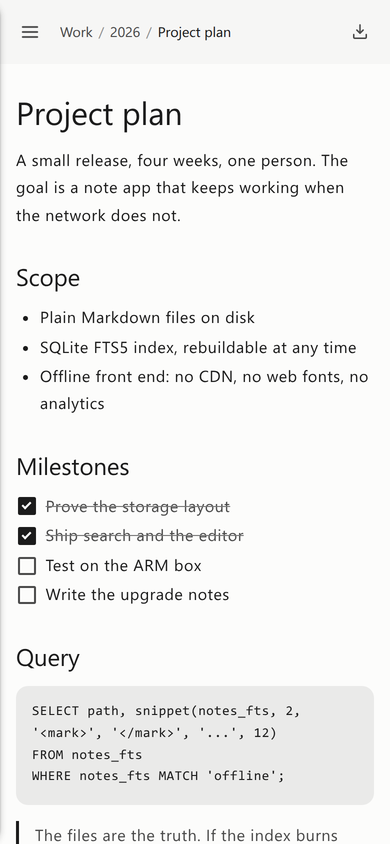
Edits save 600 ms after the last keystroke; a pending change is flushed with keepalive when the page is hidden. Every note can also leave as a ZIP of Markdown.
Multi-architecture image on linux/amd64 and linux/arm64. Mount ./data and that is the entire state: notes, images, accounts, index.
Taken from a running instance with a demo account — the same build you can pull.
Docker with Compose, one port and one directory. No external database, no mail server, no TLS termination.
The image builds locally from source. ./data is created on first start; mount it and that is the whole state.
git clone https://github.com/noelbennettz/flownotes.git
cd flownotes
mkdir -p data
docker compose up -d --buildghcr.io/noelbennettz/flownotes:latest is public and multi-architecture, so docker pull needs no login. The Compose file that comes with the repository keeps ./data and the same port.
docker compose -f docker-compose.ghcr.yml up -d
docker compose -f docker-compose.ghcr.yml logs -f flownotesOpen http://your-server:8000/; with no accounts the service sends you to /setup. Create the administrator, and the instance becomes yours. Set FLOWNOTES_SETUP_TOKEN before the first start if the port may be reachable by others: the wizard then asks for it and refuses everything else.
Rootless Docker: the container user is 1000, which maps to a sub-uid and
cannot write a ./data owned by you. Put FLOWNOTES_UID=0 and
FLOWNOTES_GID=0 in .env so the container writes files as your own
user; on a normal rootful install, leave the defaults.
What Flow Notes deliberately does not do, before you move notes into it.
(conflict …) copy. Treat that as a safety net, not as support for editing one note from several devices at once./uploads is not public; a note image is served to its owner or an administrator. Files from the single-user era stay readable by any signed-in account.
Plain HTTP is supported on purpose. The session cookie is
HttpOnly and SameSite=Lax but not Secure, so an internal
address such as http://192.168.1.10:8000 can sign in. Put it behind a TLS proxy
before exposing it to the internet.
Search is a convenience, not the source. The index ranks and highlights;
the files decide what exists, and POST /api/resync re-compares them.
index.db also holds the accounts, so back it up before deleting it.
What runs, what it listens on, and what it stores.
./data volume: notes, uploads, index.db, .session-secret, trashThe things worth knowing before moving a year of notes into it.
In data/notes/<account>/, one .md file per note, and folders for folders. data/index.db holds the accounts and the FTS5 index; the search tables are rebuilt from the files, while the account rows are not, so copy the database before deleting it. The Markdown is the part worth backing up.
Yes. GET /api/tree and GET /api/search compare the disk with the index at most once every two seconds per account, so an external edit appears without a restart. If the file changes while the same note is open in the browser, the browser's next save is merged with it when the edits are in different places; if they touch the same lines, the browser's text is kept as a separate (conflict …) note instead of overwriting the external one.
The page, the stylesheet, the editor bundle and every icon come from the same origin, and the server sends a same-origin Content-Security-Policy (default-src 'self', with the inline styles and scripts the app itself ships). Nothing is fetched from a CDN, a font service or an icon host at any point.
On the server: python -m app.cli passwd admin, or docker compose exec -it flownotes python -m app.cli passwd admin. It writes the database directly, so no restart is needed and existing sessions for that account stop working.
Copy data/ — notes, uploads, index.db and .session-secret — and start the container on the new host with the same directory. Keeping the session secret keeps everyone signed in; dropping it only signs them out.
It is a small personal tool: run it, fork it, change it, ship it. The only request is that the copyright notice travels with the copies.
No. The app listens on plain HTTP — uvicorn on port 8000 — and the image carries no certificate, no ACME client and no HSTS header. That is deliberate: the session cookie is HttpOnly and SameSite=Lax but not Secure, so a LAN address such as http://192.168.1.10:8000 can sign in. Keep the port on the LAN, or terminate TLS in front of it.
With Caddy it is two lines: notes.example.com { reverse_proxy 127.0.0.1:8000 }. With nginx, proxy_pass http://127.0.0.1:8000; plus proxy_set_header Host $host;, and raise client_max_body_size to at least 21m so 20 MB image uploads are not rejected. No WebSocket upgrade is needed, and binding the published port to 127.0.0.1 keeps plain HTTP off the network. DOCS.md has both configurations.
No. Flow Notes does not support simultaneous editing: there is no live sync, no presence and no cursor sharing, so two devices cannot reliably type in one note at the same time. Saves are versioned as a safety net — edits in different places are merged, and edits that touch the same lines keep one text and save the other as a (conflict …) note — but that is there to avoid losing work, not to make multi-device editing a supported workflow. Edit an active note on one device at a time.